
1.3 KiB
1.3 KiB
Protecting your services and websites with BunnyCDN
BunnyCDN is your friend in 3 ways at least:
- it will protect you against DDOS
- it will obscure the real origin of your service
- it will cache your content that u want cached
It operates with "zones". Think 1 zone = 1 service / website / url you run.
How to add a service / website to BunnyCDN
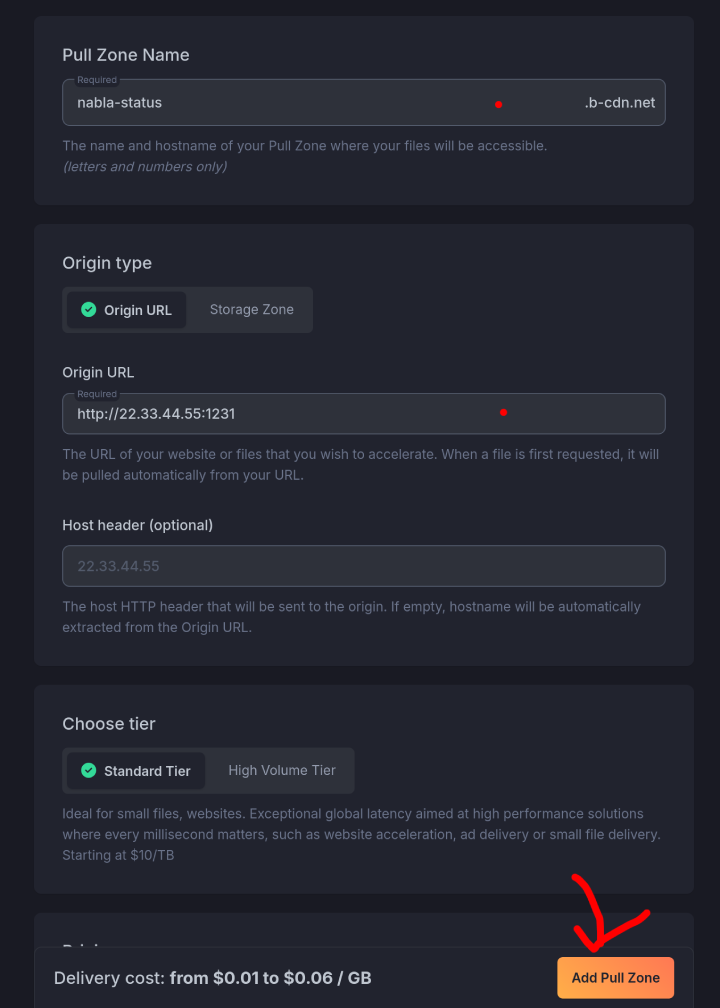
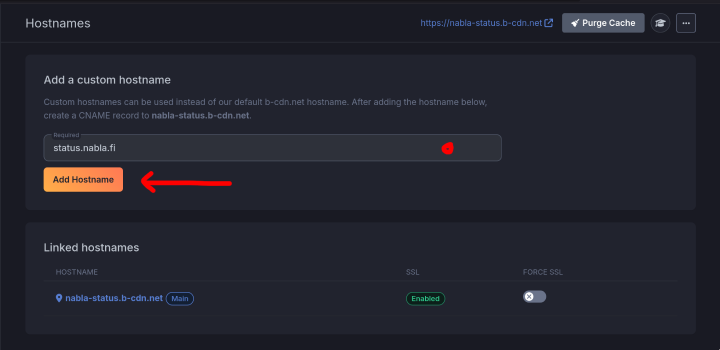
Consult the screenshots below on how to set BunnyCDN in your browser.
1. Create a new pull zone
2. Add your domain
3. Add a DNS record and SSL cert on BunnyCDN
Get details for DNS from the popup.
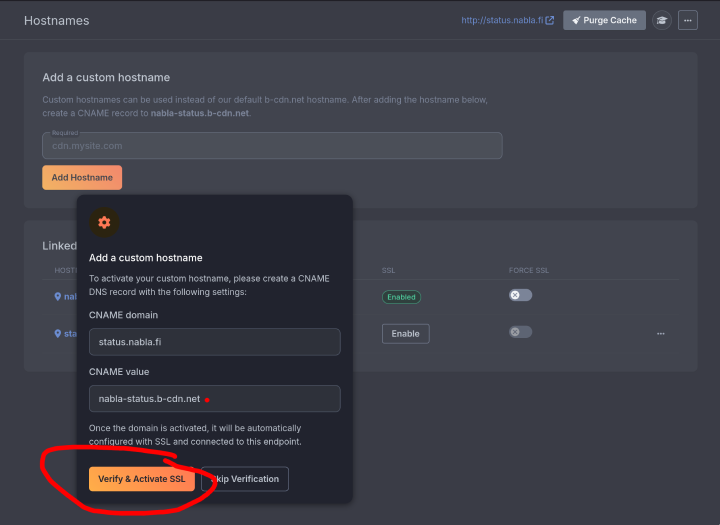
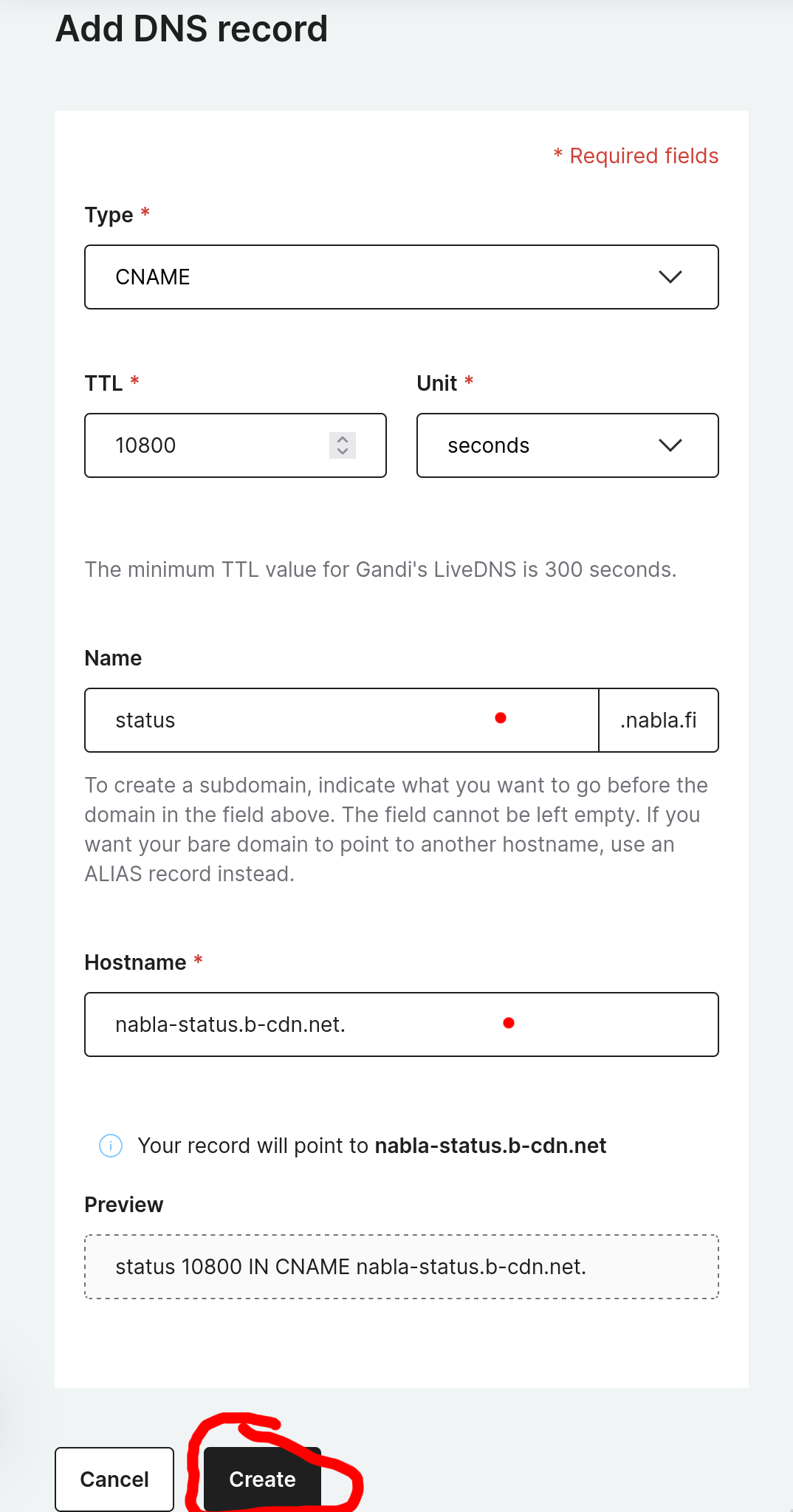
Enter it into your DNS and Verify SSL back on BunnyCDN.
⚠️ MAKE SURE TO ADD A DOT AT THE END. Bunny doesnt put it in the modal shown to you. If you do not put a dot at the end of CNAME record then it will append your domain at the end of CNAME-d url.
Voila, this is it.
How to disable caching
By default if server doesnt include a Cache-control header, bunny will cache it.
To make it never cache, include header Cache-control with value no-cache in your responses.
Purging cache
To purge the cache on BunnyCDN, there is a button on the top right of the UI.